How to share libraries with external people the right way, isolating different groups
In SharePoint, external sharing is often assumed to be “contained” to whatever library or folder is shared.
In reality, access is driven by the site’s permission structure and inheritance model, which can unintentionally expose additional document libraries to external users.
The problem:
You are sending documents to companies that are competing to win a Request for Proposal and you need to send each company documents via Sharepoint, however, it is critical that they do not have any visibility of who the other companies are.
To achieve this, you decide to create a library for each company and break inheritance as usual, but let’s see what happens if we only leave the default Microsoft permissions:
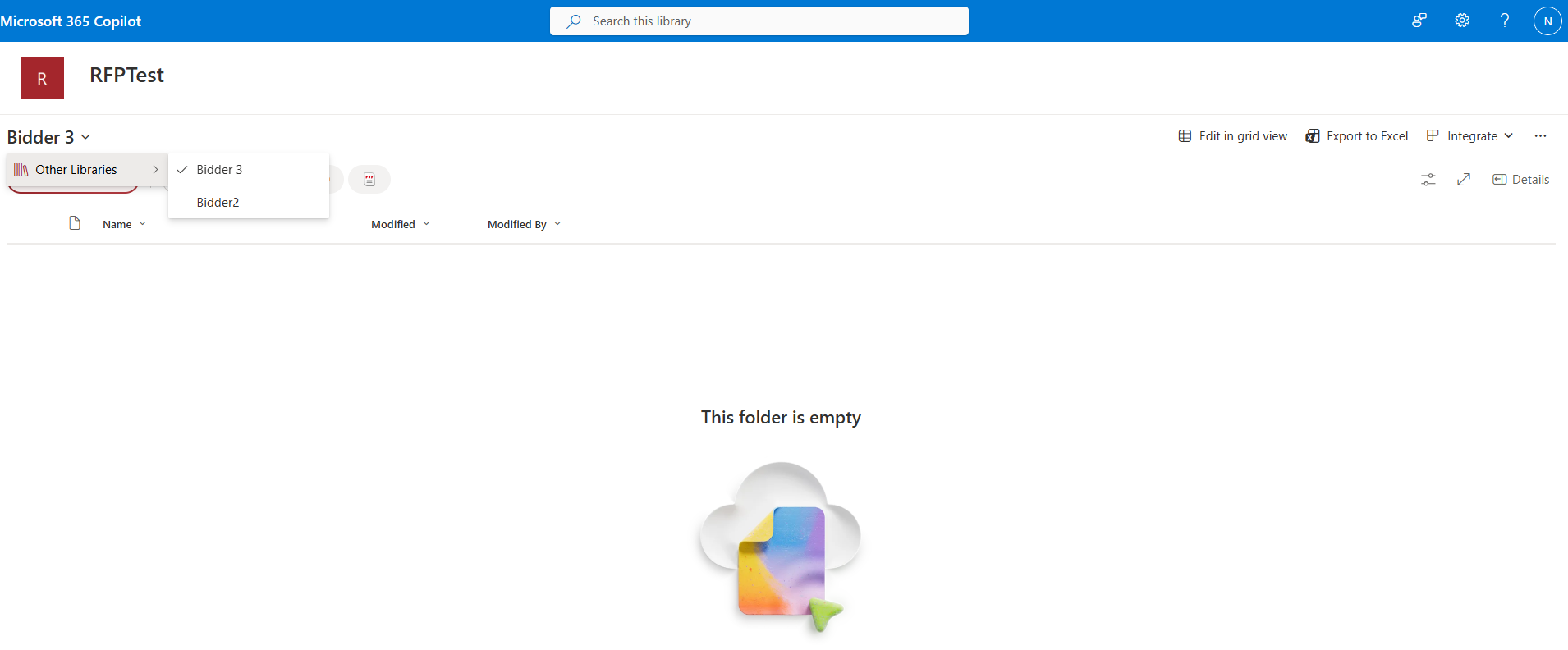
In this example I only gave read access to the library Bidder, yet I can see Bidder 2 listed as a library on the site, revealing confidential info.
Upon clicking on other libraries we would be able to see who the other companies are.
This becomes a concern in multi-client scenarios where different companies share the same SharePoint site, as users may be able to see other libraries or site elements they were never meant to access.
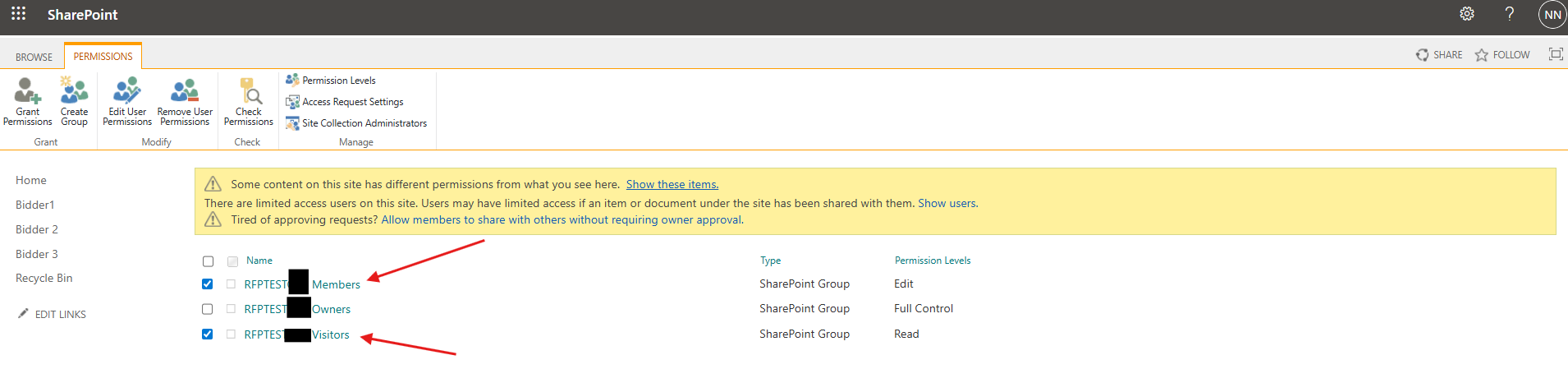
The offending permissions
To properly isolate access, permissions need to be broken down at the library level as usual and default site groups Members and Visitors removed, ensuring each external party only sees what is explicitly intended for them.


Leave a comment