Demystifying the differences between the two.
Understanding the differences between an Enterprise app and an app registration does not need to be difficult.
On this post, I will show you in a clear and concise way what each one is used for and what they do.
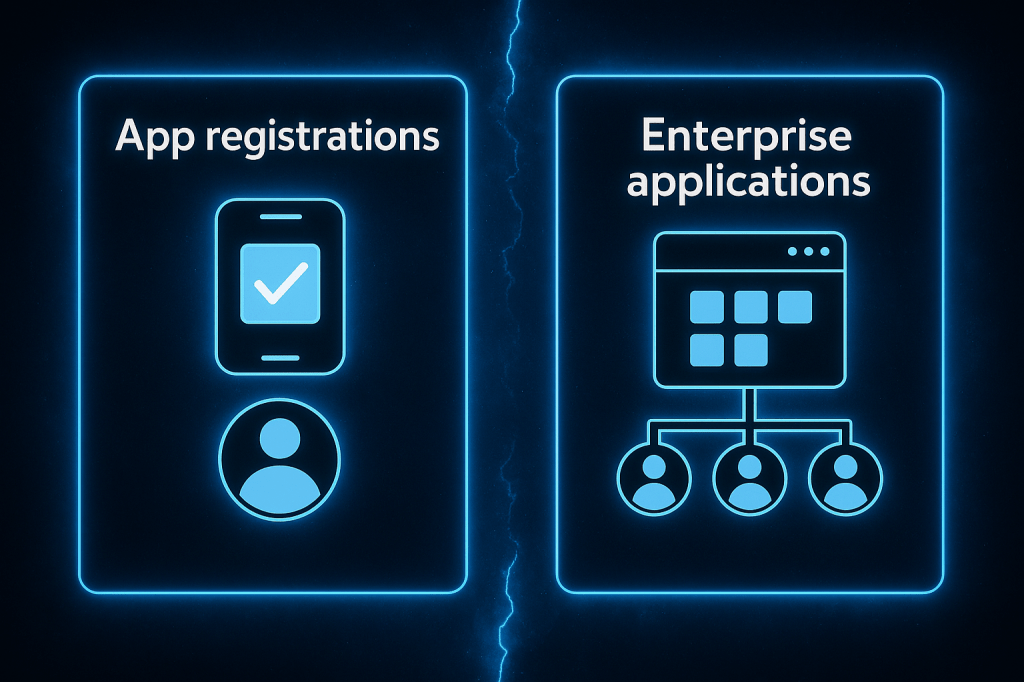
App Registration:
I was always under the impression that an App Registration — given the name “app” — would include everything related to the application, like hosting and runtime.
But in reality, App Registration only applies to the authentication and identity integration part. It defines how the app interacts with Microsoft Entra ID for sign-in, permissions, and access control — not where or how the app is hosted.
When you need to integrate an application with Entra ID you would register an application in your tenant.
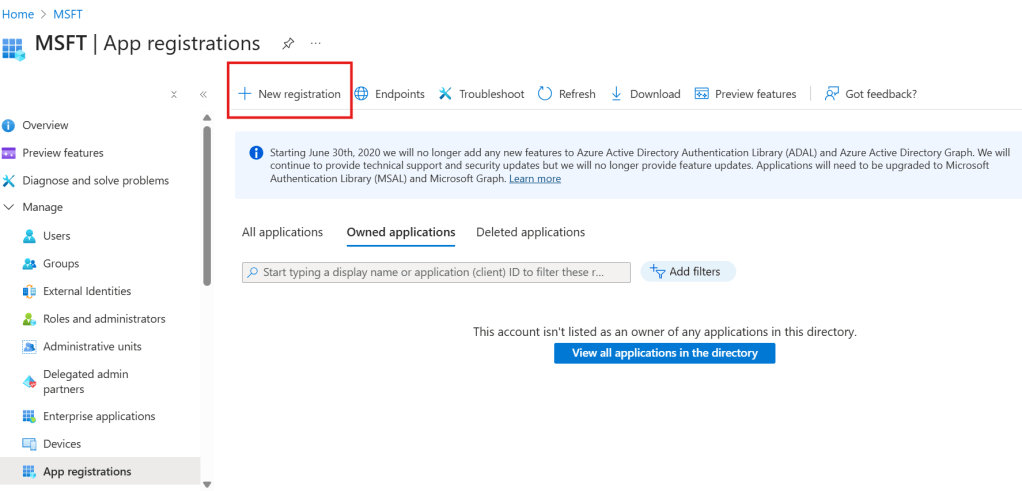
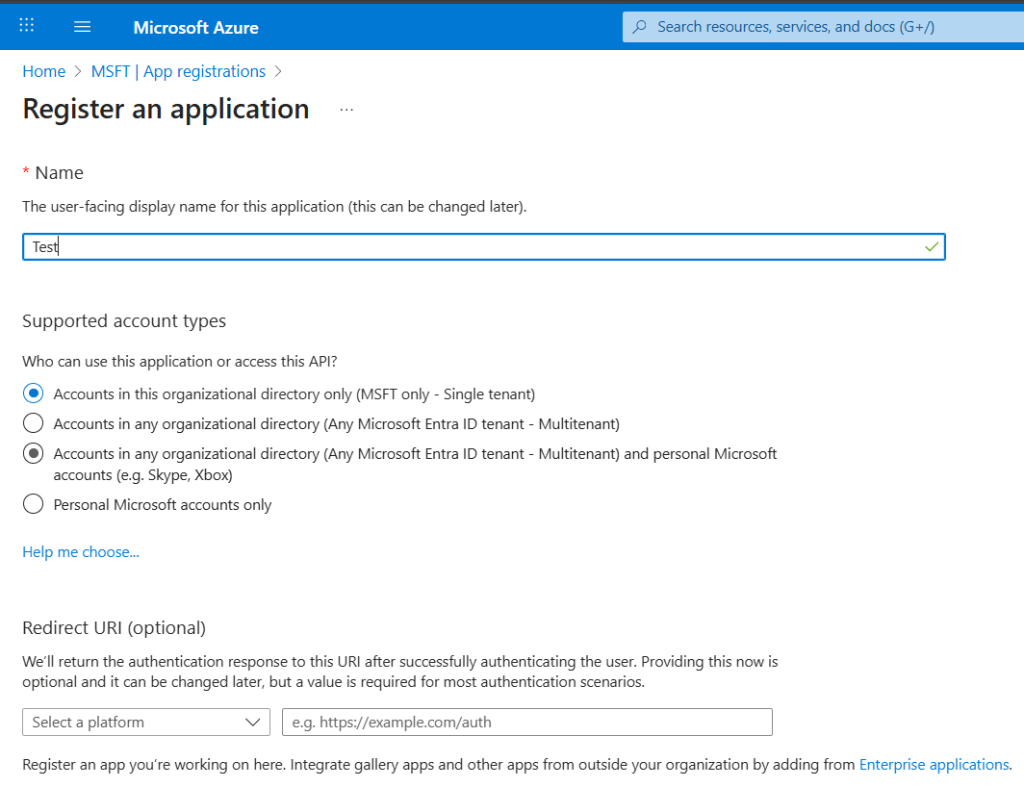
When you register it, you can choose who will authenticate and interact with the app and from where.
For example, if the app is intended for internal use only — meaning only users from your own tenant should be able to sign in — you would select:
“Accounts in this organizational directory only (Single tenant)”.
What’s interesting is that you can also allow users from other tenants or organizations to log in to the app. The app doesn’t need to be hosted in your tenant, but you do need to own and control the App Registration in your tenant to configure this behavior.
App Registration is something you do for an app you own or manage.
App registration defines how the app interacts with Microsoft Entra ID for authentication and authorization.
The next step would be to link the App Registration to the actual app. I will not go into details on how to do this, however as a minimum you will need these details to input into the Application:
- Application (client) ID
- Directory (tenant) ID
- Client secret (for confidential apps)
- Redirect URI (the app must redirect users to Entra ID for login, and Entra ID must know where to send them back after authentication)
- Scopes / API permissions
What can be confusing too is that when you create an app registration an enterprise app is created so we will see what an Enterprise app is.
Enterprise App
The Enterprise Application also known as a service principal is a security identity that represents the app within your tenant. It allows the app to:
- Authenticate users
- Be assigned to users or groups
- Be governed by conditional access policies
- Be monitored for sign-ins and activity
It essentially manages how the app behaves inside your tenant and has additional capabilities that the App Registration doesn’t.
What helps me understand the difference is thinking of the Enterprise Application as an extension of the App Registration — it’s the app’s active identity within your tenant, enabling access control, policy enforcement, and monitoring.
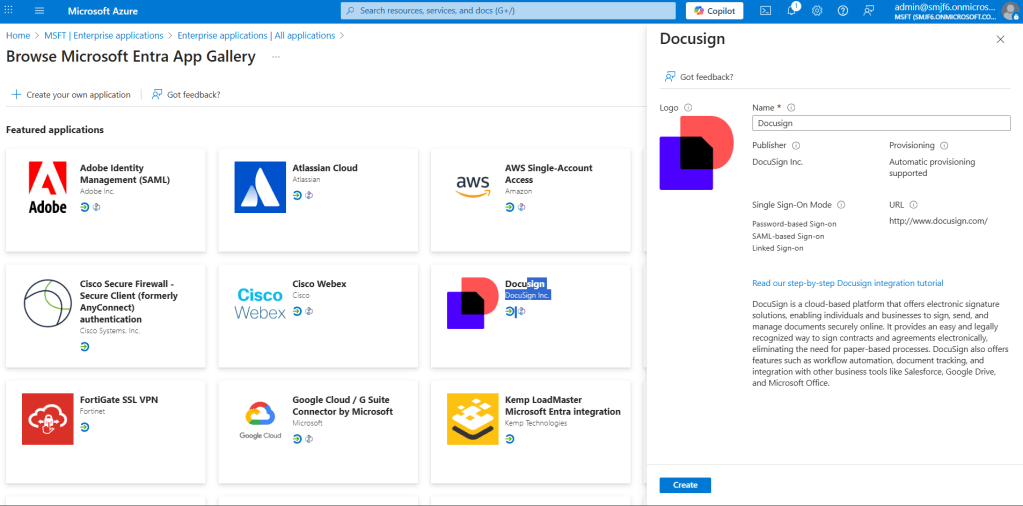
The interesting this is that if you need to do an integration with a SaaS like Docusign for example you would head to the “Enterprise Application” section, create it and then a corresponding “App Registration” will be created too.
Note that the “App Registration” and the “Enterprise App” will both have the same Client ID, this happens because the “Enterprise Application” is the “Service Principal” created from the App Registration. In a nutshell, the service principal is the identity of an app inside your tenant.
So, you might be wondering, why do we need two separate services if they are both used for more or less the same i.e. authentication purposes?
Well, the answer is a little bit more nuanced:
Microsoft Entra ID uses App Registration and Enterprise Application (service principal) as two distinct but connected components to separate responsibilities and improve scalability:
- App Registration is for developers — it defines how the app authenticates, what APIs it can access, and how it integrates with Entra ID.
- Enterprise Application is for admins — it governs how the app behaves inside the tenant, including user access, conditional access policies, and monitoring.
This separation allows:
- Clear delegation between development and IT operations
- Multi-tenant support, where one app registration can be used across many tenants
- Tenant-specific governance and security controls
The way I see Enterprise Apps is more of an App to User Management because it’s where you assign users/groups, apply conditional access, and monitor user sign-ins. It also focused on how the app interacts with users inside your tenant.
Summary:
- App Registration defines how the app authenticates — it includes the client ID, redirect URIs, secrets, and API permissions. It’s used by the app to request tokens and access resources.
- Enterprise Application (also known as a service principal) is the app’s active identity inside your tenant. It governs who can use the app, applies security policies, and enables monitoring and access control.
Think of App Registration as the blueprint or plan for an app — it defines what the app is, how it authenticates, and what it’s allowed to do.
The Enterprise Application is the actual implementation of that app inside your tenant — where you decide who can use it, apply security rules, and monitor its behavior.
Together, they form a complete identity model:
- The App Registration enables the app to authenticate.
- The Enterprise Application enables your tenant to authorize and manage the app.


Leave a Reply